
Wide timeline
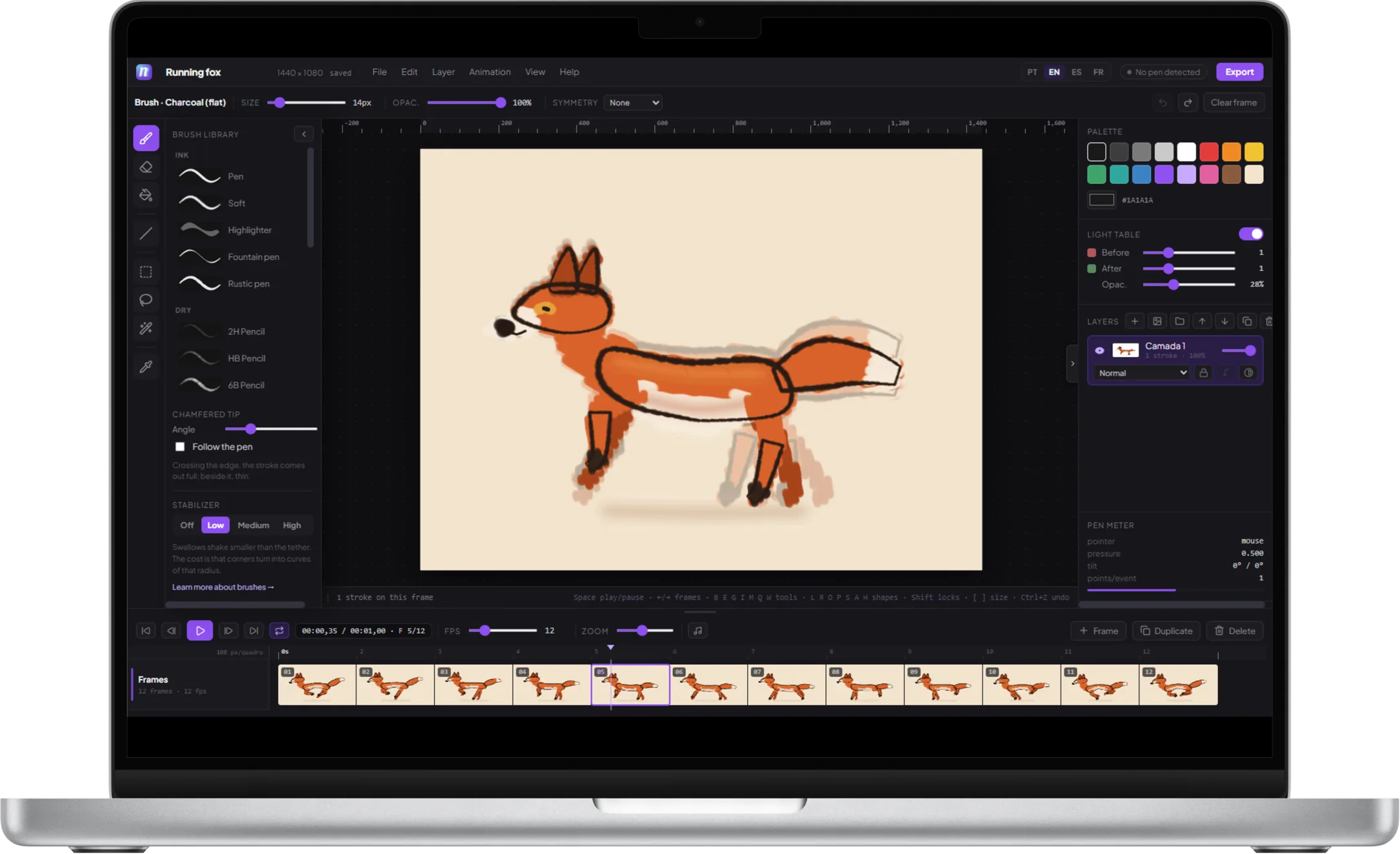
Every frame in view, with drag-to-reorder, duplication, and per-frame duration. On the phone the strip scrolls; here the whole project fits on the screen.

NinoClip is an animation studio for a drawing tablet, a pen, or a mouse — and the same project carries on in the phone app. A wide timeline, onion skin, and twenty brushes.

THE STUDIO
Frames and audio tracks on the same ruler: drag a clip, cut at the playhead, zoom in until the waveform appears. Eight tools, symmetry, onion skin, and stroke stabilization — in your browser, nothing to install.
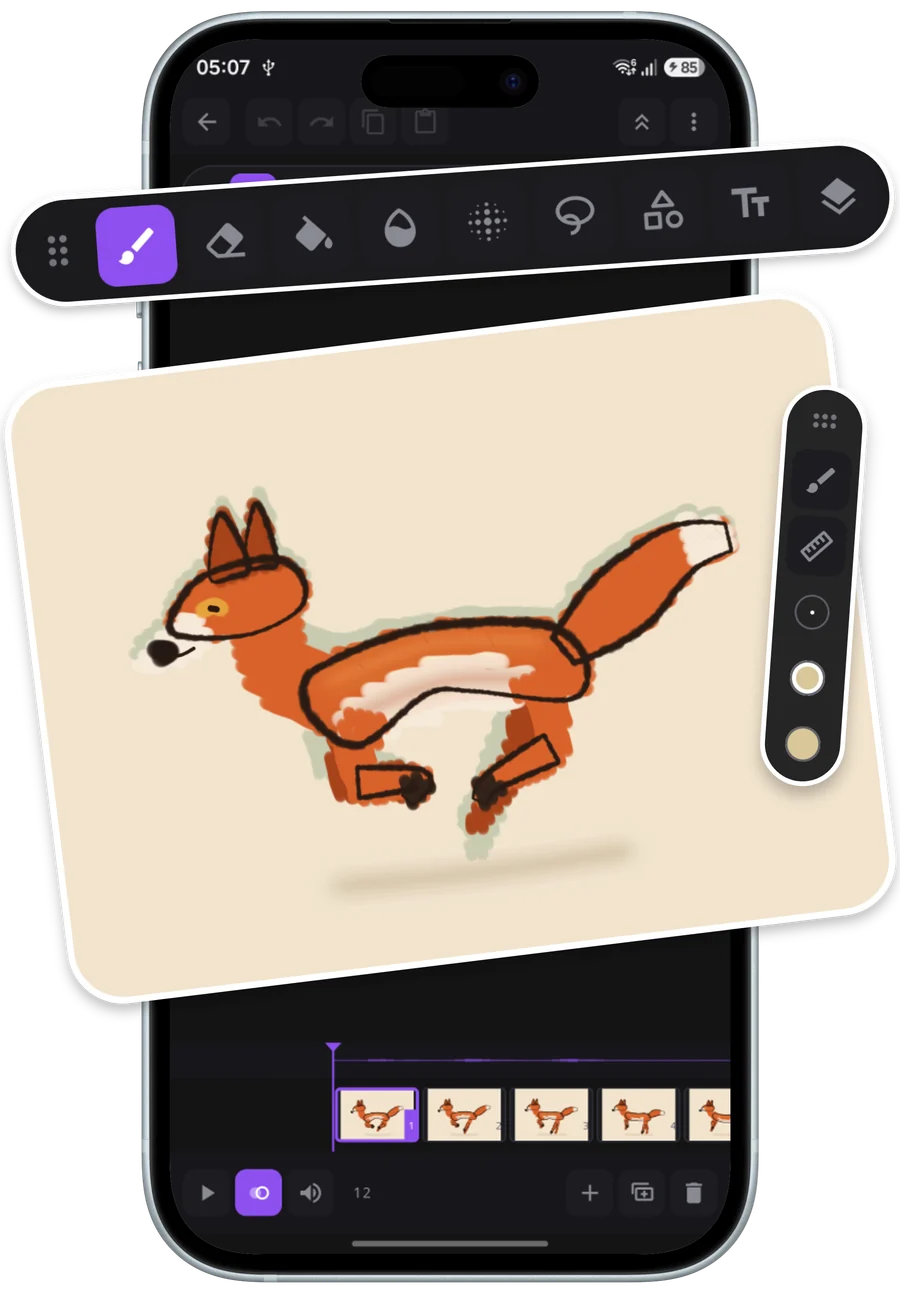
ON YOUR PHONE
The whole project crosses over: the folder with layers, audio, and credits goes back and forth the same way on both sides. It's not export and import — it's the same file.
FEATURES
Every frame in view, with drag-to-reorder, duplication, and per-frame duration. On the phone the strip scrolls; here the whole project fits on the screen.
Up to 3 frames before and after, with separate color and opacity for incoming and outgoing frames.
From Off to High: from loose hatching to a near-vector outline.
Switch brushes, jump frames, toggle layers, and play back without ever putting down the pen. It's the difference you notice most coming from touch.
GIF, MP4, WebM, PNG sequence, and sprite sheet — at the resolution your project was created in.
BRUSHES
Each one with its own size, opacity, and pressure response. These swatches are the same stroke the app draws in its brush picker — same curve, same taper at the tips, on the same paper color.
COMMUNITY
Every published project can be opened, studied, and remixed by someone else — with automatic credit.



Open the studio, draw 12 frames, and publish. It takes less time than picking a brush.
